

Direct answer
Apple Full Disk Access AI agents customer support data: what CRM buyers should take from it
TechCrunch reported that Apple is tightening macOS Full Disk Access controls as desktop AI agents create new risks, and Apple's developer materials describe changes to Full Disk Access behavior in macOS. For support operations, the takeaway is permission governance: before a desktop assistant touches CRM exports, ticket attachments, email, browser sessions or local files, map what it can read, write, export and trigger.
Published 10/4/2026. News event: 10/1/2026.
What happened
- TechCrunch connected Apple's Full Disk Access changes to the rising risk of desktop AI agents that can interact with local apps and files.
- Apple's developer communication provides primary platform context for Full Disk Access behavior changes.
- The story is not proof that a named support desk leaked data through a desktop assistant.
- It does show why support and CRM teams need a narrower permission model before letting assistants operate across local files, browsers, mail and service tools.
Why this is trending
- Support work often happens on local desktops, not only inside one SaaS product. Agents that can see files and apps may cross boundaries a CRM permission model never covered.
- Full-disk or broad-access prompts are easy to approve during a pilot and hard to audit later.
- This differs from previous CRM egress stories because it focuses on the employee desktop as the control plane for customer data.
The CRM Costs take
Consider an illustrative support manager testing a desktop assistant that summarizes tickets, drafts replies and searches exported spreadsheets. If the assistant has broad file access, a single convenience feature can touch attachments, downloaded reports, transcripts, billing files and internal notes. The buyer should define the allowed folders, apps, exports and tool calls before the pilot, then retain logs that show what happened.
Desktop Agent Permission Risk Map
An original support-ops map for local files, app surfaces, CRM exports, audit logs, human approval and emergency rollback.
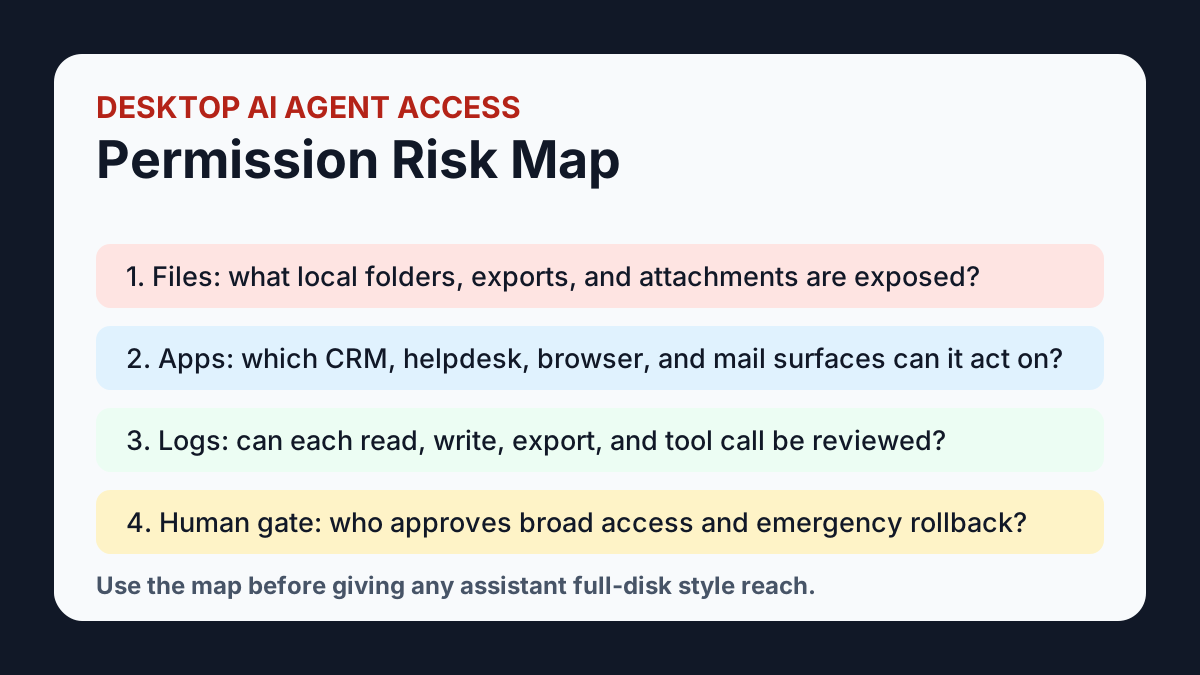
Create a limited working folder and prohibit uncontrolled CRM exports.
Classify each action as read-only, reversible, approval-required or prohibited.
Minimize exported fields and remove unrelated customer data before assistant use.
Retain prompt, file, tool, action, user and approval logs for reviewed workflows.
Name a revocation owner and rehearse disabling access before launch.
What buyers should do next
Buyer FAQs
What is the support-ops risk in Apple's Full Disk Access move?
The risk is that desktop assistants can cross local-file, browser, mail and CRM boundaries if permissions are too broad. Support teams need permission maps before exposing customer data.
Does this mean desktop AI agents should never be used?
No. They should start with limited folders, read-only workflows where possible, action gates for record changes and retained audit evidence.
How is this different from a SaaS permission review?
SaaS permissions usually govern one product. Desktop assistants may touch local exports, screenshots, downloads, browser sessions and mail alongside the CRM.
What should buyers check first?
Start with local data inventory: CRM exports, ticket attachments, transcripts, screenshots, billing files, mailboxes, browser sessions and folders the assistant can access.